IP Camera Re-Streaming — Publish RTSP Cameras to Your Website
Connect your IP cameras and deliver live video to viewers in any browser — no Flash, no viewer app, no setup on the viewer’s side. Video plays right on your webpage. Solution involves: a live streaming server service that retrieves the RTSP stream and delivers it as browser compatible DASH/HLS + turnkey site software to manage re-streams on your domain or subdomain.
What It Does
- RTSP/RTMP input — pulls streams from any IP camera, DVR, NVR, or RTSP/RTMP source
- DASH/HLS output — packages for browser playback on any device
- Scale – streaming server serves multiple clients, without viewer load on IP camera and network
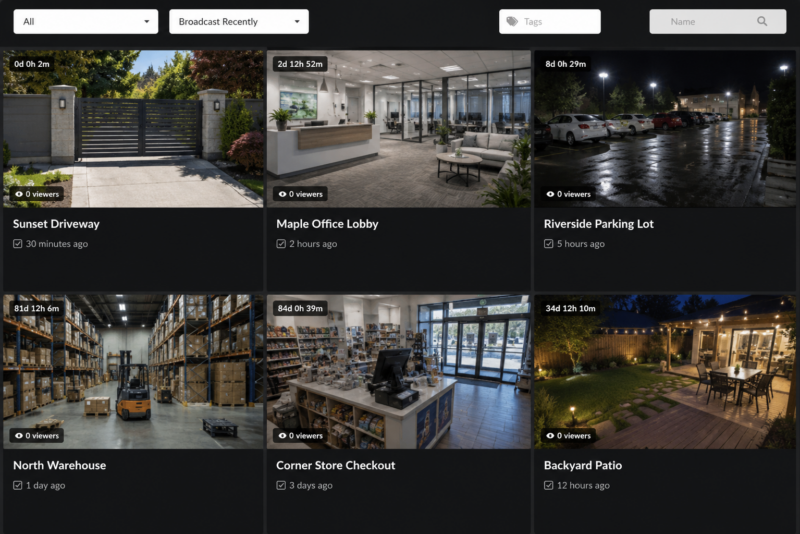
- Channel management — each camera gets its own page with live/offline status and thumbnails
- Access control — restrict channel access to specific users, groups, or paid members
- Multiple concurrent cameras — run many cameras simultaneously (plan-dependent)
- Automatic snapshots — thumbnail previews updated from the live feed
- Load optimizations – auto-pause cameras with no viewers and resume on request
- VideoWhisper Restream Player — optimized HTML5 player for IP camera streams, resume paused
- Keep Camera Stream Private — server pulls from camera; viewers never access the camera directly
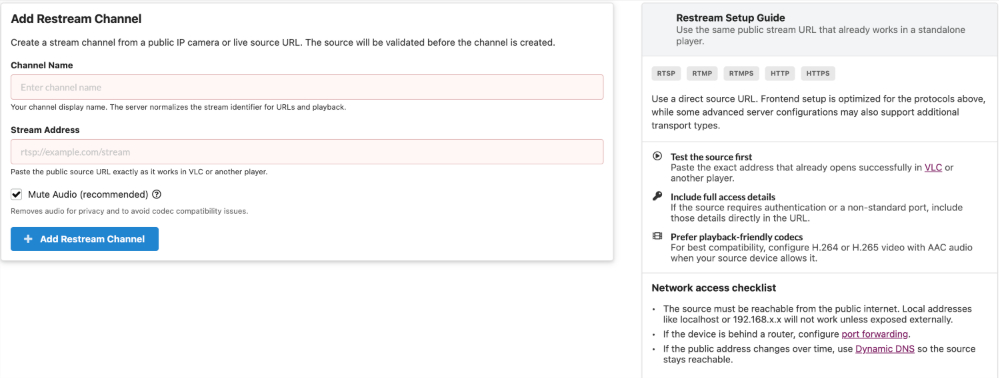
- Turnkey Site Solution – own site on your domain/subdomain to manage IP camera restreams
Popular Use Cases
Camera Compatibility
Works with any camera or stream source supporting:
- RTSP — most IP cameras (Hikvision, Dahua, Axis, Reolink, Uniview, Hanwha, Amcrest, Foscam, and more)
- RTMP — streaming encoders, some NVRs
- HLS (m3u8) — existing stream endpoints
- UDP — broadcast/multicast sources
Recommended encoding: H.264 video + AAC audio for best browser compatibility.
Technical ReStream Highlights
- User Interface: Own site with Broadcast Live Video with frontend/backend to manage re-streams
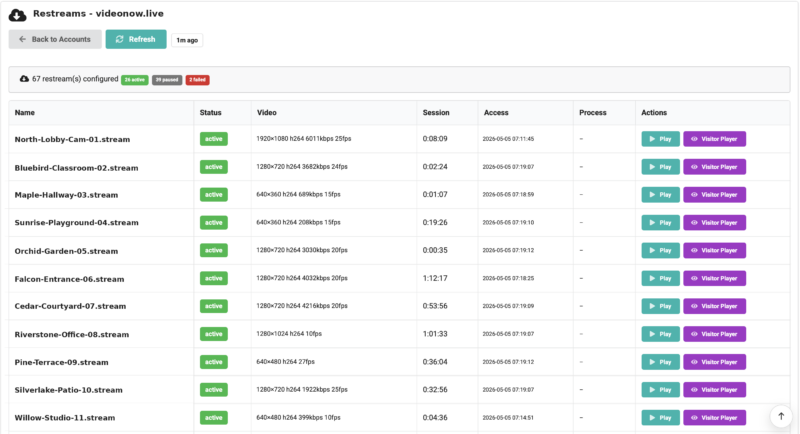
- Host Interface: VideoWhisper CRM to review, troubleshoot re-streams
- Player: Generic DASH/HLS or VideoWhisper Restream Player (
[videowhisper_restream_player]) - Input protocols: RTSP, RTMP, HLS, UDP
- Output: MPEG-DASH + HLS for all browsers and devices
- Access control: WordPress user roles, custom per-channel access lists, myCRED paid access
- Server: VideoWhisper Server (included in all site2stream.com plans)
- Network: Camera does not need a public IP — server pulls from camera, viewers connect to server
- Port forwarding required if camera is behind NAT/router (standard IT configuration)
Get Started
Managed hosting at Site2Stream.com — includes server, plugin, professional camera setup, and priority support.
MVP
- ✔ 3 Concurrent Cameras
- ✔ 50 GB Storage
- ✔ VideoWhisper Server included
- ✔ Full plugin included
- ✔ Professional setup
Starter
- ✔ 20 Concurrent Cameras
- ✔ 100 GB Storage
- ✔ VideoWhisper Server included
- ✔ Full plugin included
- ✔ Professional setup
⭐ Growth
- ✔ 50 Concurrent Cameras
- ✔ 1 TB Storage
- ✔ VideoWhisper Server included
- ✔ Full plugin included
- ✔ Professional setup
Custom development and advanced setup on own dedicated server is possible.
Ask for a Free Project Consultation
Want to try yourself? Free plugin Broadcast Live Video on WordPress.org , free developer streaming plan on WebRTC Host .